Identifying Who Is Sending You E-mail
Security Warning – Spoofing Of E-mail Addresses
What is Spoofing?
Spoofing in general is the misrepresentation of the identity of an e-mail sender, generally for fraudulent purposes. This can be done in a variety of ways, from simply and easily detectable to complex and hard to detect. Spoofing is often done in conjunction with other technology-based frauds, such as Phishing or SPAM, but it can also be used for non-technical fraud. Forgery or misrepresentation of your identity is a violation of Babson’s Acceptable Use Policy.
How does it work?
E-mail can be spoofed in a number of ways, from simply changing the sender information in an e-mail client to complex hacks which exploit vulnerabilities in e-mail servers. The simplest spoofs are relatively easy to detect, but the more complex spoofs can be much more convincing.
While it is not technically an e-mail spoof, another simple method to misrepresent an e-mail sender is to create an account on a public e-mail server using a false name. This type of spoof is relatively easy to detect, as the e-mail does not come from an expected domain name (the part after the @ sign).
How can I tell if the sender’s address is real?
The best protection against Spoofing is to pay attention to the sender’s e-mail address. Double-clicking on the sender’s address in Outlook will show you a variety of information about the sender. For e-mail from the Internet, make sure that the Display Name corresponds to the e-mail address or at the very least that the e-mail address is known to you.
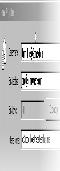
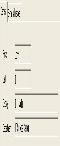
For internal Babson e-mail, the name you see in the sender field should show as “Last Name, First Name”. When you double-click on an internal Babson e-mail address, you will be presented with additional specific information about the sender, including the department.
What should I do if I suspect an e-mail is spoofed?
If after you look at the sender information you believe the e-mail to be spoofed, do not act on the e-mail, and do not respond to it. If you know the purported sender, you can confirm it either by calling the sender directly, or by e-mail sent to the person’s correct address.
If the sender verifies that the e-mail has been spoofed, or you cannot contact the sender directly, contact the IT Service Center at x4357 (HELP). We will ask you to send us the spoofed e-mail as an attachment. To send it as an attachment, follow these instructions:
- Create a new e-mail to support@babson.edu. Indicate in the body of the e-mail your concerns and any information you have about the e-mail, and what you may have already done with regard to it.
- Click on the suspicious message from your inbox, then drag and drop it into your newly created message. This will attach the spoofed message to your new e-mail to us, preserving the headers that are needed to trace the e-mail.
- Send the e-mail.
Can’t ITSD prevent spoofing?
All of ITSD’s e-mail servers are secured to industry standards to prevent spoofing of the Babson domain. Unfortunately, current e-mail technology was not designed with sender authentication, so it is impossible for Babson to confirm that e-mail sent from addresses outside of Babson is authentic. There are currently industry efforts underway to develop sender-authenticated e-mail, but these systems are not yet widely available.